Loadmaster and Digital Waste Tracking 2026
Loadmaster is one of the most widely used weighbridge platforms at UK waste and recycling sites. It handles vehicle queuing, ticket printing, customer accounts, and weight recording reliably — and has done for years on many sites.
What Loadmaster was not built to do is submit data to a government DWT portal. As of 2026, there is no confirmed native Defra Digital Waste Tracking module for Loadmaster. That means Loadmaster users need a separate solution to meet the October 2026 mandatory DWT compliance deadline.
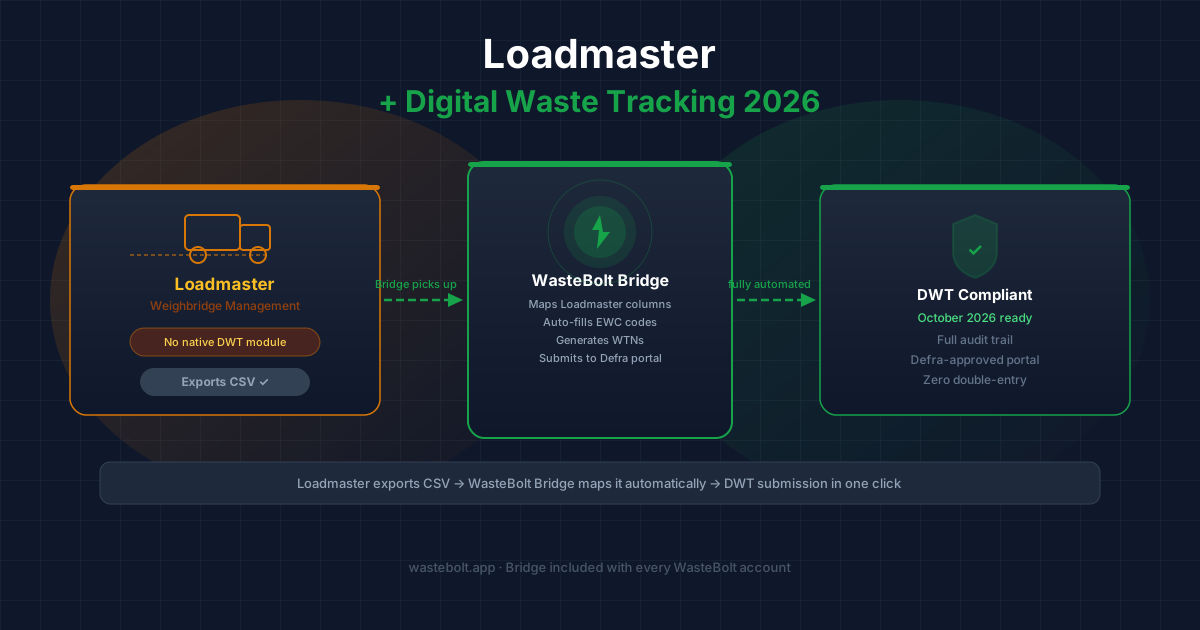
WasteBolt Gatehouse fills that gap directly. It watches the CSV export that Loadmaster already produces, maps the data to WasteBolt automatically, generates Waste Transfer Notes, and queues movements for DWT submission — without touching your Loadmaster installation or changing how your team works at the weighbridge.
What the DWT 2026 Deadline Means for Loadmaster Sites
From October 2026, every controlled waste movement in England must be recorded in the Defra Digital Waste Tracking Service (DWTS). Every waste receiver, carrier, and producer is legally required to submit movement data digitally.
For sites running Loadmaster, this means you cannot simply carry on as normal after October 2026. You need:
- DWT-connected software to capture and submit movement data
- EWC codes assigned to every movement
- Digital Waste Transfer Notes with the correct fields
- An auditable record for every load
WasteBolt is listed on GOV.UK as a DWT software provider and handles all of this. WasteBolt Gatehouse is the connector between Loadmaster and WasteBolt.
How WasteBolt Gatehouse Works With Loadmaster
Loadmaster includes a reporting and export function that can produce CSV files of your weighbridge transactions. WasteBolt Gatehouse monitors a folder on your weighbridge PC. When Loadmaster drops a CSV there, Bridge picks it up immediately and stages the records into your WasteBolt account.
Your Loadmaster system does not need updating, reconfiguring, or replacing. The only change on the weighbridge PC is running Bridge in the background.
Step-by-Step Setup for Loadmaster Users
Step 1 — Configure Loadmaster CSV export In Loadmaster, set up your transaction report to export to a specific folder. You can schedule this to run automatically at the end of each shift, or run it manually when you are ready to sync. The export should include ticket number, weights (gross, tare, net), date, time, vehicle registration, and customer name as a minimum.
Step 2 — Install WasteBolt Gatehouse Download Bridge from your WasteBolt account at Settings → Integrations. Run the installer on your weighbridge PC — it takes around five minutes. Sign in with your WasteBolt credentials.
Step 3 — Point Bridge at your Loadmaster export folder In Bridge settings, browse to the folder Loadmaster is exporting to. Bridge starts watching immediately.
Step 4 — Map the Loadmaster columns Drop a sample Loadmaster CSV into the folder. Bridge will detect it and let you map each column — ticket number, net weight, tare, gross, date in, date out, vehicle, customer, product. Save the mapping and Bridge will apply it to every file automatically from that point on.
Step 5 — Set up Import Templates Loadmaster does not store EWC codes. You create these in WasteBolt as Import Templates — one per material type (e.g., wood, mixed C&D, scrap metal, inert waste). Set the EWC code, waste description, and any other fixed DWT fields once. Bridge auto-matches incoming loads to the right template based on the product name in your Loadmaster export.
Step 6 — Review and submit Staged records appear in Import Review inside WasteBolt. Matched records show green. Click Submit to push them to the Defra DWT portal. Your Loadmaster ticket number is carried through as the weighbridge docket reference.
Loadmaster Column Mapping Reference
Here is how typical Loadmaster export fields map to WasteBolt and DWT requirements:
| Loadmaster field | WasteBolt / DWT field |
|---|---|
| Ticket No | Weighbridge docket reference |
| Gross Weight | Gross weight |
| Tare Weight | Tare weight |
| Net Weight | Net weight (DWT submission field) |
| Date In | Movement date |
| Vehicle Reg | Vehicle registration |
| Account / Customer | Waste producer |
| Product | Used to match Import Template → EWC code |
How Long Until You Are DWT Compliant?
Most Loadmaster sites can be fully set up with WasteBolt Gatehouse and running DWT submissions within a single day:
- Bridge installation and folder setup: ~15 minutes
- First CSV upload and column mapping: ~15 minutes
- Import Templates for all material types: ~30–60 minutes (depends on how many products you handle)
- First DWT submission: same day
Do Not Wait for a Loadmaster Update
There is no confirmed timeline for a native Loadmaster DWT module. Waiting risks running into October 2026 without a compliant system in place. Enforcement under the new DWT regulations carries significant penalties.
WasteBolt Gatehouse gives Loadmaster users a compliant DWT route today, using the data your system already collects.
Download WasteBolt Gatehouse from your WasteBolt account, or read the full Bridge setup guide for step-by-step instructions.