What Is Weighsoft?
Weighsoft — also known as ISYS Weighsoft, and now part of Access Group's waste management software portfolio following Access's acquisition of ISYS — is weighbridge management software used by UK waste transfer stations, recycling centres, skip hire operators and quarries to record vehicle weights, generate weighbridge tickets, and produce reporting.
Weighsoft 5 is a version of this software, and "Access Weighsoft" or "Access Weighsoft 5" refers to the product as offered under the Access Group brand today.
If you're searching for a "Weighsoft alternative", you're likely one of two people:
- You already run Weighsoft for weighbridge ticketing, and want to know how to get that data into a Waste Transfer Note and Digital Waste Tracking (DWT) compliant system without re-keying everything by hand.
- You're evaluating weighbridge and waste compliance software from scratch and want to know what else is out there.
This article covers both — without making claims about features that only Weighsoft's own documentation can confirm. For exact current Weighsoft 5 features, pricing, and login or support details, see Access Group's own Weighsoft pages directly.
Why Businesses Look Beyond a Standalone Weighbridge System
Weighbridge software like Weighsoft is built to do one job well: record vehicle weights at the point of weighing — gross, tare and net weight, ticket number, vehicle registration, customer, and product. For many sites, that's exactly what's needed.
The gap most UK waste businesses run into in 2026 is what happens after the weight is recorded:
Waste Transfer Notes (WTNs) — every load of waste needs a WTN recording the producer, carrier and consignee, the waste description and EWC code, and signatures from each party. Standalone weighbridge software typically isn't built to generate these.
Digital Waste Tracking (DWT) submission — from October 2026, waste movements need to be reported to the Environment Agency's Digital Waste Tracking service. A weighbridge ticket on its own doesn't satisfy this requirement.
Double data entry — without an integration, weighbridge data gets re-typed into a separate compliance system, which costs time and introduces errors.
This is the gap WasteBolt is built to fill — not by replacing your weighbridge hardware or ticketing software, but by turning the data it already produces into compliant digital WTNs and DWT submissions.
WasteBolt as a Weighsoft Alternative — or Companion
There are two ways to think about WasteBolt relative to Weighsoft, depending on where you're starting from.
1. Replacing a weighbridge system entirely
If you're choosing weighbridge and compliance software from scratch, WasteBolt covers the compliance side natively — digital WTNs, Season Tickets, built-in EWC code lookup, carrier verification and DWT 2026 submission — and can connect directly to a weighbridge indicator via WasteBolt Gatehouse, a lightweight desktop app that reads weights directly from a serial-connected scale indicator. For sites that don't need the full ticketing and reporting depth of a dedicated weighbridge package, this can be a simpler, lower-cost setup.
2. Keeping your weighbridge software, adding WasteBolt for compliance
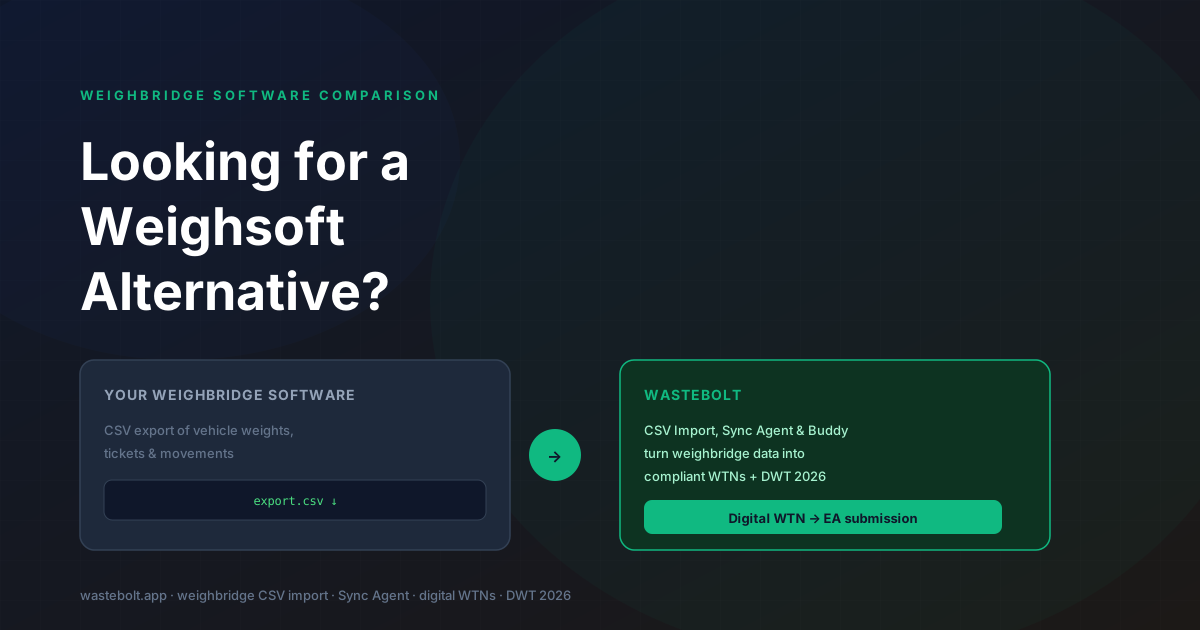
If you already run Weighsoft (or Access Weighsoft 5) and it's working fine for your weighbridge operations, you don't need to rip it out to get DWT-ready. WasteBolt's CSV import via Import Hub and the WasteBolt Gatehouse take CSV exports from your existing weighbridge software and turn them into WTNs and DWT submissions automatically — without touching your weighbridge setup at all.
| Standalone weighbridge software (e.g. Weighsoft) | WasteBolt | |
|---|---|---|
| Records vehicle weights via scale indicator | Yes | Via WasteBolt Gatehouse (serial connection) |
| Generates weighbridge tickets | Yes | Not the focus — WasteBolt focuses on compliance records |
| Generates digital Waste Transfer Notes | Check with vendor | Yes |
| EWC code lookup / D & R codes | Check with vendor | Yes — built-in EWC code list |
| Season Tickets for repeat collections | Check with vendor | Yes |
| Digital Waste Tracking (DWT) submission | Check with vendor | Yes |
| Imports CSV from existing weighbridge software | N/A | Yes — manual via Import Hub or automatic via the WasteBolt Gatehouse |
| Mobile app for drivers and field staff | Check with vendor | Yes — Skippy quick-capture |
Where this table says "check with vendor", it's because we can't make confident claims about a product we don't operate — Access Group's own materials are the right place to confirm current Weighsoft 5 features.
Migrating Weighbridge Data from Weighsoft (or Any System) to WasteBolt
If you decide to bring your weighbridge data into WasteBolt, there are two routes — both use the same column-mapping template, so once it's set up the first time, every future export is handled the same way.
1. Manual CSV import — export your weighbridge data as a CSV, upload it via WasteBolt's Import Hub, map the columns (vehicle registration, weight, EWC code, and so on) once, and approve the batch. WasteBolt's AI-assisted column mapper (Bolt Map Columns) suggests the mapping automatically.
2. Automatic import with the WasteBolt Gatehouse — the WasteBolt Gatehouse is a lightweight Windows app that watches the export folder on your yard computer and imports new CSV files as they appear, with no manual step after initial setup.
Frequently Asked Questions
Is WasteBolt a direct replacement for Weighsoft? Not in the sense of weighbridge ticketing and scale indicator integration — that's Weighsoft's core function. WasteBolt is a digital WTN, Season Ticket and DWT compliance platform. For sites that want weighbridge data turned into compliant waste transfer records without re-keying, WasteBolt can sit alongside Weighsoft via CSV import, or — for simpler setups with no separate weighbridge software — replace it using WasteBolt Gatehouse's direct scale connection.
What is Weighsoft 5? Weighsoft 5 is a version of the Weighsoft weighbridge software, now offered under the Access Group brand as Access Weighsoft. For details on its current features, system requirements, and login or support, refer to Access Group's own documentation — we don't operate or resell Weighsoft and can't confirm specifics on their behalf.
I can't find the Weighsoft login page — can WasteBolt help? No. WasteBolt is a separate, unaffiliated platform and we don't have access to Weighsoft accounts or login pages. For Weighsoft or Access Weighsoft login issues, contact Access Group support directly.
Can I use WasteBolt without any weighbridge software at all? Yes. Many WasteBolt users have no weighbridge at all — drivers and field staff create dockets and WTNs directly using Skippy quick-capture on a phone. Weighbridge integration (via CSV import, the WasteBolt Gatehouse, or WasteBolt Gatehouse) is for sites that already weigh vehicles and want that data flowing into compliance records automatically.
Does WasteBolt support every weighbridge software's export format? The WasteBolt Gatehouse and Import Hub work with CSV exports, and the column-mapping step means any reasonably structured CSV — including exports from Weighsoft, Loadmaster, RecyClass, Globeweigh, Avery Weigh-Tronix and others — can be mapped. If your software's export format needs additional support, contact the WasteBolt team.
Is WasteBolt ready for the October 2026 DWT deadline? Yes. Digital WTNs, Season Tickets and dockets created in WasteBolt — whether entered manually, captured via Skippy, or imported from a weighbridge CSV — can be submitted to the Environment Agency's Digital Waste Tracking service once DWT credentials are configured.
Last updated: June 2026. Weighsoft, ISYS Weighsoft and Access Weighsoft are products of Access Group. WasteBolt is not affiliated with Access Group; references to Weighsoft in this article are for comparison purposes only.